AI chatbot customer support is no longer a nice extra for modern businesses. Customers expect faster replies, service teams are overloaded, and companies are under pressure to reduce repetitive support work without damaging customer experience.
But here is where many businesses get it wrong.
They think an AI chatbot is supposed to replace the support team.
That is a bad strategy.
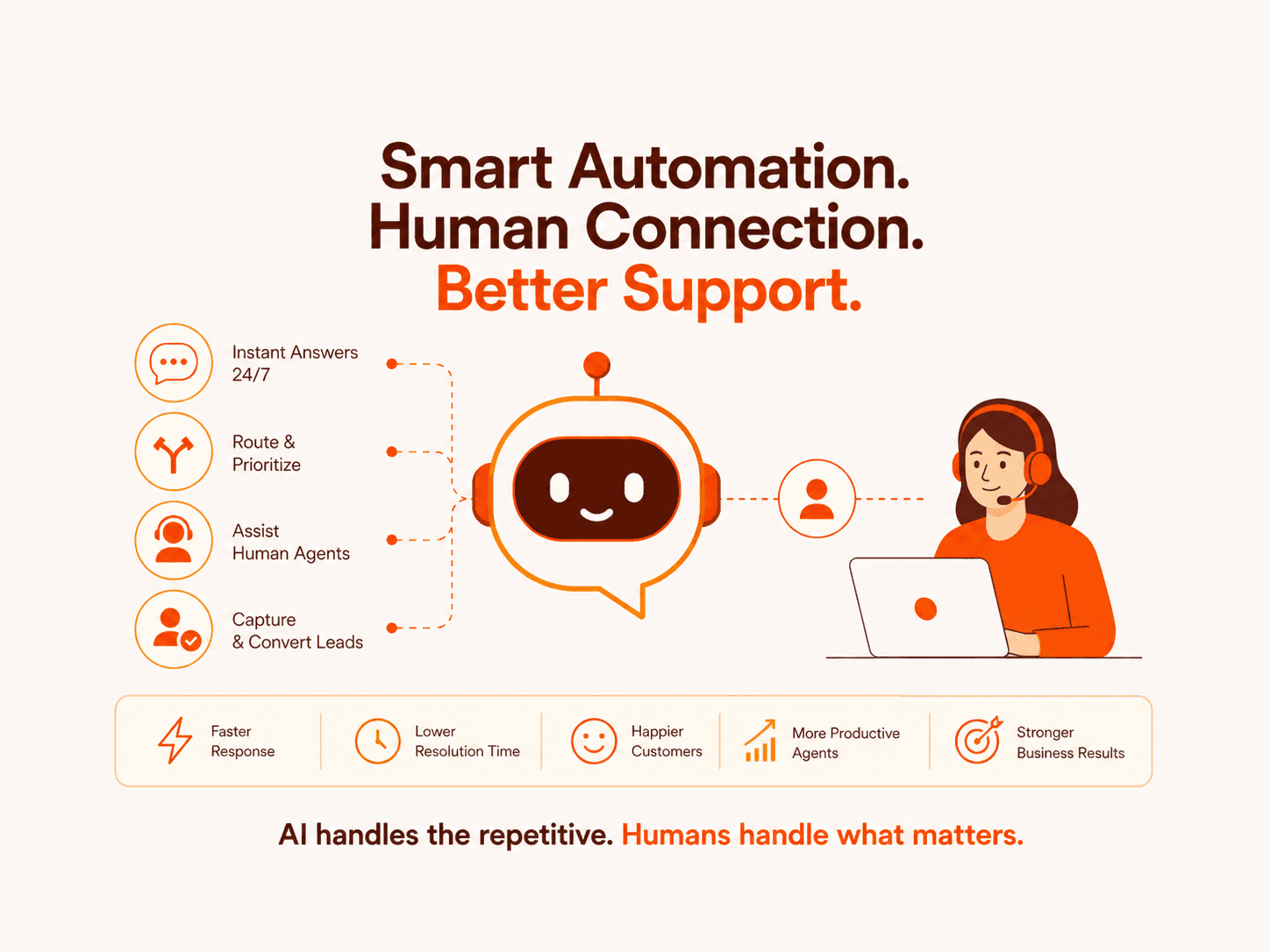
A good AI chatbot does not replace customer support. It removes repetitive work, gives customers faster answers, helps agents work better, and escalates complex issues to humans at the right time.
The real question is not “Should we use an AI chatbot?”
The better question is:
What should the chatbot handle, what should it avoid, and how should it fit into the customer support workflow?
What AI Chatbots Can Do For Customer Support
1. Answer repetitive customer questions
Most support teams are not drowning because every ticket is complex. They are drowning because customers ask the same questions again and again.
An AI customer service chatbot can answer questions about:
This is where AI chatbots create immediate value. They reduce the number of simple tickets reaching human agents and give customers instant answers.
2. Provide 24/7 support
Customers do not always contact you during business hours. If your support team works only during office hours, you are leaving frustrated customers waiting overnight, during weekends, or across time zones.
An AI chatbot for business can handle first level support at any time. It can collect customer details, answer common questions, create tickets, and route urgent issues to the right team.
This is especially useful for SaaS companies, ecommerce brands, healthcare service providers, real estate platforms, education businesses, finance companies, and global service businesses.
3. Route tickets to the right team
Bad support systems waste time before the actual problem even starts getting solved.
An AI chatbot can identify customer intent and route tickets based on issue type, urgency, product category, customer profile, or past interaction history.
For example:
1. Billing issue goes to finance support
2. Technical issue goes to product support
3. Refund request goes to customer success
4. Enterprise customer issue goes to priority support
5. Sales enquiry goes to the sales team
This improves response speed and reduces internal confusion.
4. Assist human support agents
One of the most underrated uses of AI chatbots for customer support is agent assistance.
AI can help agents by:
Summarising long customer conversations
Suggesting reply drafts
Pulling answers from the knowledge base
Detecting customer sentiment
Recommending next steps
Translating messages
Updating CRM fields
Creating internal notes
This is where AI becomes a support copilot, not a wall between the customer and the business.
5. Capture leads and support sales conversations
A customer support chatbot can also support revenue.
If a visitor asks about pricing, integrations, service plans, demos, or project timelines, the chatbot can qualify the lead and book a call with the right person.
For AI service businesses, agencies, SaaS companies, and B2B websites, this matters because many buyers visit your site outside working hours. If your website cannot respond when the buyer is interested, you lose momentum.
A smart chatbot can ask:
1. What problem are you trying to solve?
2. What tools are you currently using?
3. How many support tickets do you handle monthly?
4. Do you need CRM, WhatsApp, website, or helpdesk integration?
5. Would you like to book a free AI audit?
That turns chatbot support into a lead generation system.
What AI Chatbots Cannot Do Well
1. They cannot fix broken support processes
This is the biggest blind spot.
If your policies are unclear, your help center is outdated, your CRM is messy, and your support team has no escalation process, an AI chatbot will not magically fix it.
It will expose the mess faster.
Before building an AI chatbot, businesses need clean documentation, clear workflows, accurate FAQs, defined escalation rules, and ownership across teams.
2. They cannot handle every emotional or sensitive situation
AI can detect angry language. It can respond politely. It can apologise.
But it cannot truly understand emotional context the way a trained human can.
Sensitive issues should move to a human quickly, especially when the customer is dealing with:
1. Financial loss
2. Medical or health concerns
3. Legal complaints
4. Account security problems
5. Payment disputes
6. Cancelled services
7. Repeated failed support attempts
Using a chatbot as a gatekeeper in these situations is how brands lose trust.
3. They cannot guarantee perfect accuracy
AI chatbots can hallucinate, misunderstand vague questions, or give outdated answers if the knowledge base is weak.
This is dangerous when the chatbot gives information about pricing, contracts, compliance, refunds, medical advice, financial decisions, or legal terms.
A serious AI chatbot implementation needs guardrails. That includes approved knowledge sources, restricted responses, confidence thresholds, human escalation, audit logs, and regular testing.
4. They cannot replace expert judgement
An AI chatbot can help with routine decisions, but it should not independently make high impact decisions without review.
It should not approve refunds beyond policy, deny claims, diagnose medical conditions, give legal advice, change account ownership, or take irreversible actions without controls.
For complex workflows, the right setup is human approval plus AI assistance.
5. They cannot succeed without integration
A chatbot that only talks is limited.
The real value comes when it connects with your tools.
Useful chatbot integrations include:
Without integration, the chatbot becomes another isolated tool. With integration, it becomes part of your support operation.
The Best Use Cases For AI Chatbot Customer Support
The best first use cases are high volume, low risk, and easy to measure.
Start with:
FAQ automation
Order and delivery updates
Appointment booking
Lead qualification
Product recommendation
Support ticket classification
Refund policy explanation
Basic onboarding
Internal support for employees
Agent reply suggestions
Avoid starting with complex complaints, legal disputes, medical guidance, high value refunds, or account security decisions.
That is not caution. That is maturity.
How To Build A Reliable AI Customer Support Chatbot
A good AI chatbot project should follow a clear process.
Step 1: Audit your support data
Look at your last 500 to 2,000 support tickets. Identify the most repeated questions, average response time, escalation rate, and customer pain points.
Step 2: Choose the right use case
Do not automate everything. Start with one painful workflow where success can be measured.
Step 3: Build a clean knowledge base
Your chatbot is only as useful as the information it can access. Clean your FAQs, policies, product pages, and internal documentation.
Step 4: Design escalation rules
Define when the chatbot should stop and hand over to a human. This protects customer trust.
Step 5: Integrate with business tools
Connect the chatbot to CRM, helpdesk, booking tools, email, WhatsApp, or internal systems where needed.
Step 6: Test before launch
Test for wrong answers, prompt injection, privacy leaks, tone problems, and failed handoffs.
Step 7: Monitor after deployment
Track resolution rate, customer satisfaction, fallback rate, escalation rate, ticket reduction, and revenue influenced.
What Businesses Should Measure
Do not measure chatbot success by the number of conversations.
Measure business impact.
Track:
If the chatbot reduces tickets but increases customer frustration, it is not working.
Where Eveningside Labs Fits In
Eveningside Labs helps businesses build custom AI chatbots, AI agents, AI automation systems, and AI integrations that solve real operational problems.
A serious customer support chatbot should not be a generic plug in. It should be designed around your business workflows, customer data, support policies, escalation rules, and existing tools.
Eveningside Labs can help with:
1. AI chatbot development
2. Customer support automation
3. AI bot development
4. AI API integration
5. CRM and helpdesk integration
6. Knowledge base automation
7. AI agent workflows
8. LLM security testing
9. AI readiness audits
10. Post launch optimisation
If your team is buried in repetitive support tickets, slow response times, missed leads, and manual follow ups, the problem is not just support volume.
The problem is workflow design.
Final Takeaway
AI chatbots for customer support are powerful when they are used for the right jobs.
They can answer repetitive questions, support agents, route tickets, qualify leads, and improve response speed.
They cannot replace human judgement, fix broken processes, or safely handle every sensitive customer issue on their own.
The winning approach is not full automation. It is smart automation.
Use AI where it improves speed, consistency, and efficiency. Keep humans where trust, judgement, and accountability matter.
If your business wants to reduce support load without damaging customer experience, start with a focused AI audit. Eveningside Labs can help identify what to automate, what to keep human, and how to build a chatbot that actually improves your support operation.